Control Surface Backlight Settings
On consoles and wings with RGB backlight faders and buttons, users can configure intensity levels and color options.
Applicable Hardware:
- NX-W
- NX-Touch
Navigating to the Menu
The settings are located under MENU > DISPLAYS > BRIGHNESS
Backlight Intensity Controls
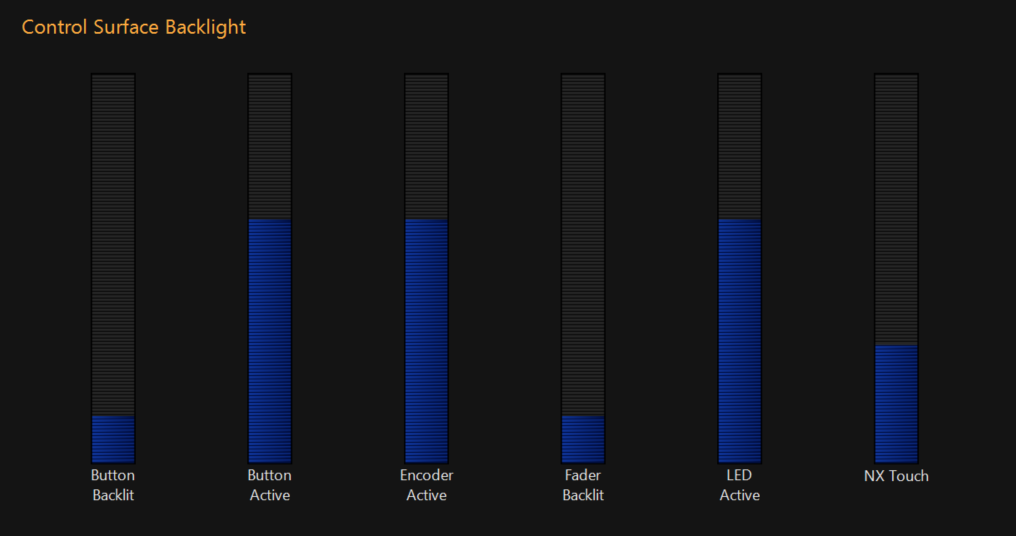
| Control | Description |
|---|---|
| Button Backlight |
Controls the base intensity level of all buttons on the surface. |
| Button Active |
Controls the intensity level of a button when in the active state. Example: When the programmer contains values, the clear button is in an active state to indicate that a CLEAR operation is available. |
| Encoder Active |
Sets the intensity level of all encoders' backlights on the surface |
| Fader Backlit |
Sets the intensity level of all faders' backlights attached to the system |
| LED Active |
Sets the Intensity level of any indicator lights on the surface |
| NX-Touch | Sets the intensity of the backlight on the NX-Touch (if attached) |
Color Behavior

| Control | Description |
|---|---|
| Backlit Color |
Sets the base color of all buttons, LED's, and encoders' backlight. |
| Button Active |
Sets the active color of all buttons, LED's, and encoders' backlight Example: When the programmer contains values, the clear button is in an active state to indicate that a CLEAR operation is available. |